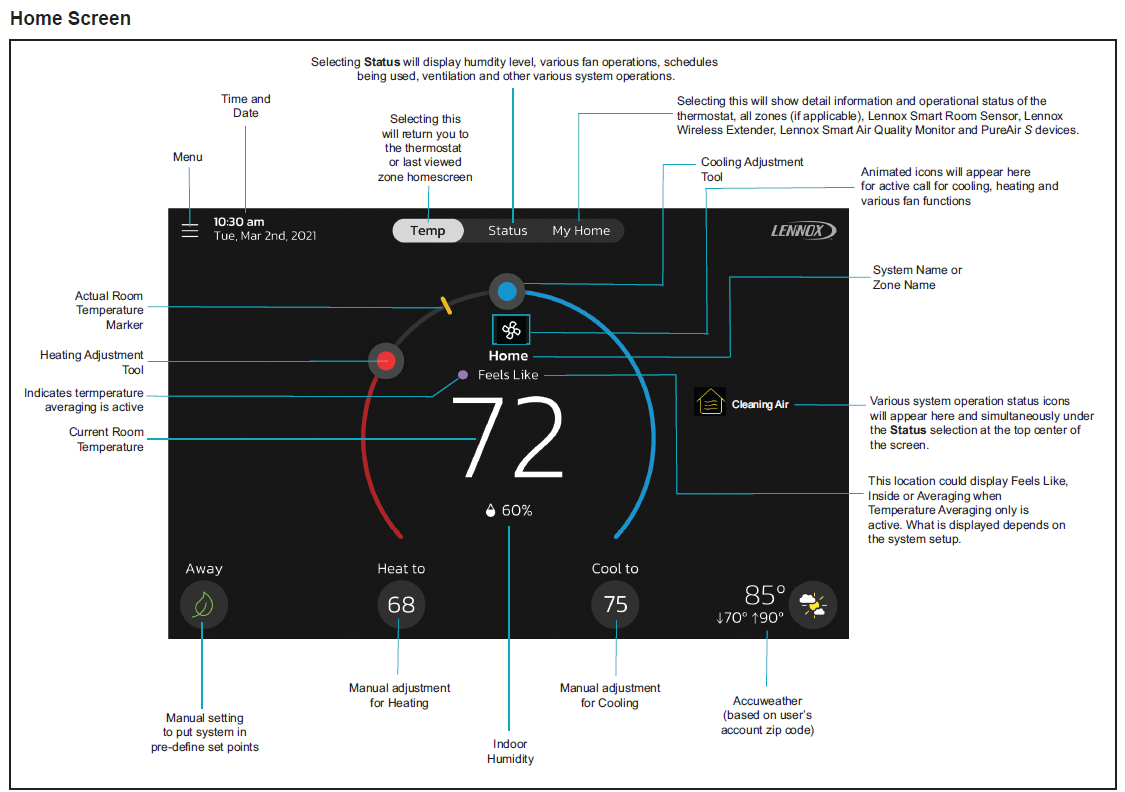
 In the home screen, tap the icon at the top left (with 3 lines). Selecting this icon will bring up thermostat menu options.
For more information or a visual representation of steps please reference our user guide here

Perfect comfort is something we want you to experience long after you’ve purchased your Lennox® product. That’s why we offer a collection of resources that make it as easy as possible for you to get the answers and support you need.
In the home screen, tap the icon at the top left (with 3 lines). Selecting this icon will bring up thermostat menu options.
For more information or a visual representation of steps please reference our user guide here

It's easy to find an expert Lennox Dealer who can help you make the most of your HVAC system.
View Now