New Lennox Home App
Product Updates June 05, 2026
Manage all your Lennox thermostats from one powerful app-no more switching.
The upgraded app is designed for simplicity, seamless control and convenience.
Hello Homeowners,
From the first connected iComfort® wifi thermostat to today’s smart home innovations, our mission has remained the same: helping you stay comfortable, in control, and confident in your home.
As technology evolves, so do the expectations for reliability, security, and connectivity. That’s why we’re taking an important step forward. A step that allows us to deliver a smarter, more dependable experience for years to come.
Introducing the next generation of Lennox reliability
We’re proud to introduce our 4th‑generation platform, built around the needs of homeowners to meet today’s standards for performance, security, and always‑on connectivity.
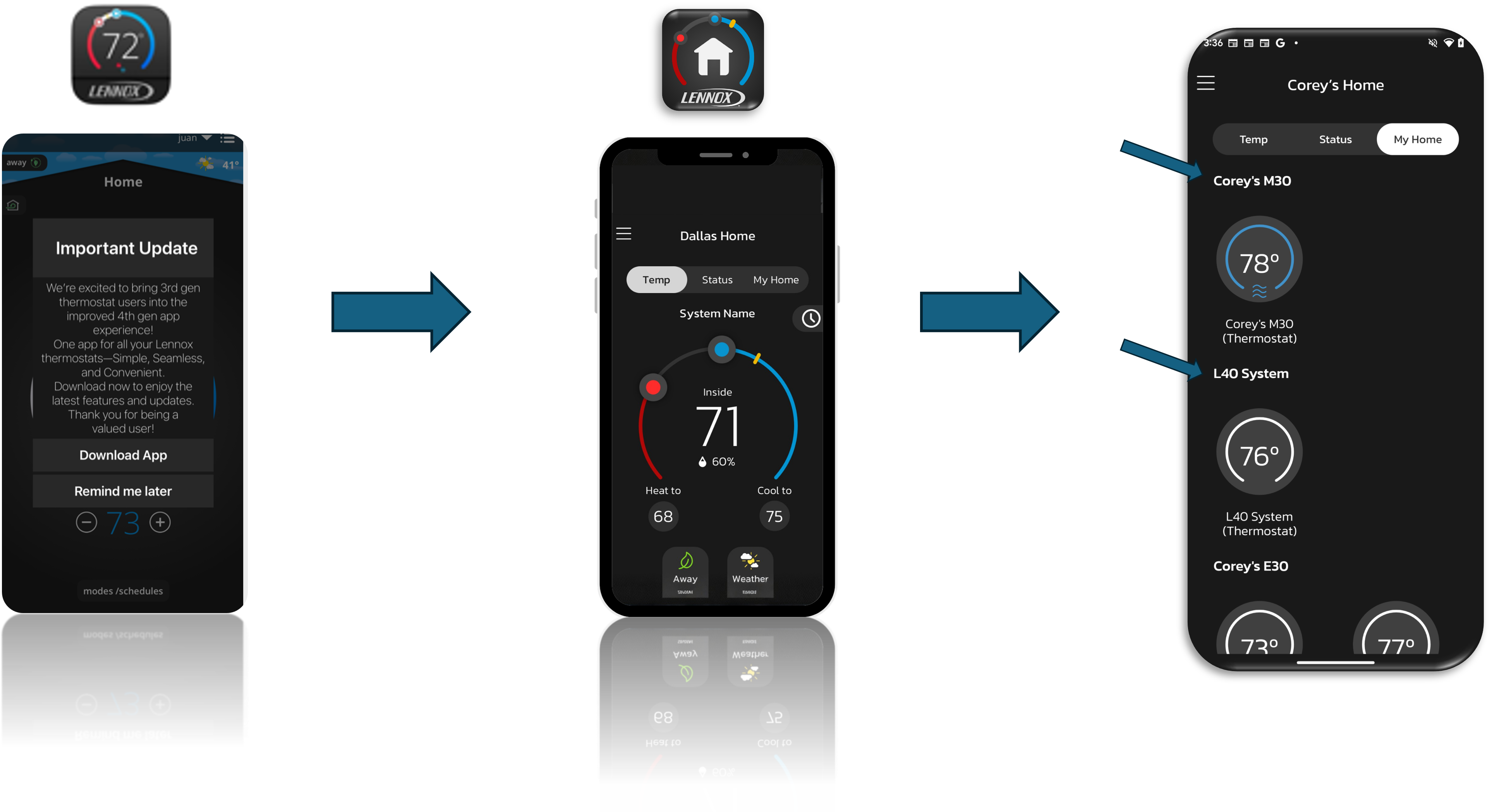
Why does my S30 app not work anymore?
Starting June 1, users will be required to transition to the new app via an in-app pop-up.
Thermostat Customers should switch to our New Lennox Home App supporting all thermostats in the 3rd and 4th generations including S40, E40, M40, L40, S30, E30, and M30.
Beginning in August, we plan to initiate the app removal process from the Apple App Store and Google Play Store.
Will the new Lennox Home App support my old thermostat?
It will support S40, E40, M40, L40, S30, E30, and M30.
How do I connect my old thermostat to the new App?
Just sign in with your iComfort S30/M30/E30 credentials, your settings will transfer automatically so you can keep controlling your thermostats remotely.
What will occur at the launch of the new app on my phone/tablet?
When first launching the current S30/E30/M30 app starting– 4/7/2025 – there will be two choices:
‘Download App’ or "Remind me Later"
Upon choosing ‘Remind me Later’, you will be able to use the app before seeing this pop up again. At the 2nd pop up you will be encouraged to download the new app.
The S30/E30/M30 App will be supported until Fall of 2025; therefore, we encourage the shift over to the new app sooner than later.
What if I have both the iComfort S30/E30/M30 app and the Lennox Home App, and I have 2 unique accounts- can these accounts be combined?
Yes! For the best experience, we encourage you to consolidate your accounts into one single account.
1. Remove your thermostats from your current account
First, you’ll need to disconnect your existing (3rd‑generation) thermostats from your current S30 account.
You can either remove each thermostat individually, or
Use the “Move Out” option on one thermostat to remove all systems in your home at once.
2a. How to remove a single thermostat (Unregister)
On your thermostat:
Tap Menu → Settings → [your system name] → Unregister System
This removes just that thermostat from your current account.
2b. How to remove all systems at once (Move Out)
On your thermostat:
Tap Menu → Settings → Account → Move Out
This removes your home and disconnects all linked systems in one step.
3. Add your thermostats to the new Lennox Home app
Once everything is removed, open the newer Lennox Home App and add your S30/E30/M30 thermostats.
You can do this by entering a PIN (applies to S30/E30/M30 and S40/ E40), or
Simply log in using the same account you plan to use going forward.
4.Sign in and finish setup
Once you log in with your chosen Lennox Home account your thermostats will be connected to the new system.
For additional details and to download the Lennox Home App, please click here.
Need Support related to Air Quality?
Here's a look at how your indoor air quality can have a direct impact on your overall well-being.

Have a Question?
Our customer support team is just a message away, ready to help with any queries you have.

Find a Local Pro
Enter your zip code to find a Lennox® dealer near you for service, support, or installation.